
The 7 Biggest Smart Home Security Mistakes Homeowners Make
A collection of cameras, locks, sensors, and apps may look like a complete security system. That does not mean it will behave like one when something goes wrong.
Many avoidable security problems start with design decisions rather than the number of devices installed. They tend to begin with fragmented planning: cameras that lose connectivity, alerts that arrive too late, entrances that remain outside the field of view, or critical equipment that stops working during a power or internet outage.
A reliable smart home security system begins with the property, the household, and the risks that need to be managed. Equipment comes afterward.
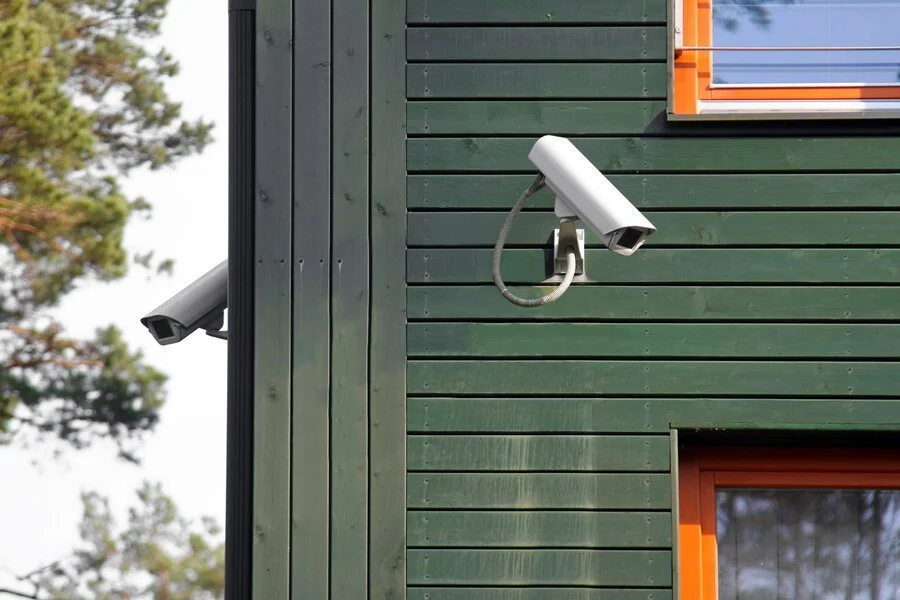
Here are seven common mistakes that can leave even a well-equipped home more vulnerable than it appears.
1. Mistaking Cameras and Video Doorbells for a Complete Security System
Video doorbells and security cameras provide valuable visibility. They can help homeowners see who is approaching, review recorded activity, and monitor a property while away.
But observation is only one layer of protection.
A complete residential security strategy may also include:
- Door and window protection
- Intrusion detection
- Perimeter surveillance
- Alarm communication
- Access control and smart locks
- Gate and intercom systems
- Environmental monitoring
- Professional monitoring
- Backup power and communications
- Secure remote access
These components do not need to come from one manufacturer or depend on one central controller. They do, however, need to be planned as parts of one coordinated system.
The objective is not to install a device everywhere. It is to understand what must be detected, recorded, communicated, and controlled, and then eliminate the gaps between those functions.
2. Ignoring the Network That Supports the Security System
Modern security systems rely heavily on the home network. Cameras, mobile applications, video intercoms, access-control systems, and remote notifications all need dependable connectivity.
Common network problems include:
- Weak Wi-Fi around gates, garages, driveways, and outdoor living areas
- Insufficient bandwidth for multiple high-resolution cameras
- Consumer-grade networking equipment that cannot support the property
- Poorly placed wireless access points
- Unmanaged network congestion
- Inadequate cybersecurity practices
- No plan for an internet outage
When a camera regularly disconnects or an alert arrives late, the camera may not be the source of the problem. The underlying network may be unstable, improperly configured, or simply not designed for the demands being placed on it.
For larger residences, waterfront properties, detached structures, and expansive outdoor spaces, coverage should be evaluated across the entire property, not only inside the main house.
A professionally designed surveillance system may also use hardwired network connections and local recording. This reduces dependence on Wi-Fi and allows footage to continue recording locally when internet service is interrupted.
3. Choosing Products Before Creating a Security Plan
Specifications are easy to compare. One camera offers a higher resolution. Another advertises a wider viewing angle or more advanced motion detection.
Those details matter, but they do not answer the most important questions:
- What areas of the property require coverage?
- Can people be identified, or merely observed?
- Will the camera perform in the actual lighting conditions?
- Are there blind spots near entrances or pathways?
- Where will recordings be stored?
- Who can access the system?
- What happens if the network or internet connection fails?
- Can the system expand as the property changes?
- Will the equipment remain serviceable?
Camera placement is especially important. A high-resolution camera installed too high, aimed poorly, or affected by glare may produce less useful footage than a more modest camera placed correctly.
Security design should begin with the property’s architecture, entrances, circulation patterns, landscaping, lighting, and daily use. Product selection should support that plan, not define it.
Privacy and cybersecurity belong in that planning conversation, too. Decide who can view live feeds and recordings, how access is removed when staff or vendors change, how long footage should be retained, and whether the system supports secure remote access and timely updates. Cameras should be positioned with reasonable consideration for neighbors, public areas, and private spaces within the home.
4. Accepting Constant Notifications
More alerts do not necessarily provide better protection.
If a homeowner receives a notification every time a tree moves, a delivery arrives, or someone walks along a public sidewalk, the system quickly becomes a source of noise. Important events can disappear among dozens of routine alerts.
A well-configured system distinguishes between activity and activity that requires attention. Depending on the platform and property, that may involve:
- Defining meaningful detection zones
- Excluding streets, sidewalks, and moving vegetation
- Differentiating among people, vehicles, and general motion
- Applying schedules to specific alerts
- Prioritizing entrances and restricted areas
- Adjusting sensitivity for each camera
- Sending different events to different household members
Notification settings should reflect how the home is actually used. A driveway alert may be useful at night but unnecessary when household staff or contractors are present during the day.
Good security design helps homeowners recognize important events quickly. It should not train them to ignore the system.
Smarter detection, more meaningful alerts
Modern surveillance systems can do more than react to motion. Depending on the platform, intelligent video analytics can distinguish people, vehicles, animals, and environmental movement. These features can help reduce unnecessary notifications and prioritize events that warrant attention.
For example, a camera overlooking a long driveway might flag an approaching vehicle while ignoring the movement of nearby trees. A side-entrance camera might prioritize activity after normal household hours. Some systems also support searchable event categories that make locating recorded footage easier.
Those capabilities still depend on sound camera placement, appropriate lighting, careful programming, and the specific surveillance platform. Rain, shadows, insects, and unusual viewing angles can affect detection. Automated classifications should support, not replace, responsible security planning.
5. Overlooking Power, Internet, and Equipment Failures
Security systems must remain dependable during unusual conditions, and those are often the same conditions that disrupt power or communications.
A resilient design should consider what happens during:
- A utility outage
- An internet interruption
- A failed network switch or router
- A damaged cable
- A recorder malfunction
- A cellular service disruption
- A power surge
- Scheduled equipment maintenance
Depending on the system, appropriate safeguards may include battery backup, uninterruptible power supplies, surge protection, local video recording, secondary internet service, cellular alarm communication, and carefully separated network equipment.
Not every device must remain operational indefinitely during an outage. The priority is to identify critical functions and provide enough backup to preserve them for an appropriate period.
Resilience should also extend beyond power. A failed automation processor, mobile app, or cloud service should not prevent essential security functions from operating locally.
6. Treating Installation as the End of the Project
A security system is not finished simply because every camera displays an image on installation day.
Homes change. Landscaping grows into camera views. Outdoor lighting is adjusted. Wi-Fi usage increases. Household schedules shift. New gates, additions, pool houses, and outdoor spaces may create new coverage requirements.
Security systems also require ongoing attention, including:
- Software and firmware updates
- Camera cleaning and realignment
- Battery replacement
- User and access-code management
- Recording and storage checks
- Notification adjustments
- Network monitoring
- Periodic testing of backup systems
- Replacement planning for aging equipment
Homeowners should know who will support the system, how service will be handled, and what happens if equipment fails after hours or while the family is away.
Long-term service should be part of the plan. It is part of a dependable security design.
7. Integrating Everything Without Preserving Independent Operation
HTE approaches integration by establishing dependable core functions first, then connecting systems where doing so makes the home easier to manage. The result is not a home where everything depends on everything else. It is a home where well-designed systems cooperate while retaining the ability to perform their primary jobs.
A properly designed alarm should retain its essential functions when the automation controller is offline. Where the recording system has appropriate local infrastructure and power, surveillance should continue recording during an internet interruption. Locks and gates need suitable independent operation and emergency access provisions.
Integration should not create a single point of failure
Capabilities vary by manufacturer, product generation, supported drivers, and programming. A feature should never be promised simply because two products are described as smart.
- Displaying a compatible entrance or gate camera on a designated touchscreen or television
- Turning on selected exterior lights when a qualifying surveillance event occurs
- Providing time-limited access credentials for guests or service providers when the access-control platform supports them
- Coordinating selected lighting and access-control functions with household schedules
- Making compatible controls available through a thoughtfully organized home interface
Other practical integrations might include:
Consider a homeowner arriving at a Hamptons residence after dark. With compatible equipment and properly authorized access, a gate-entry event could illuminate the arrival route and designated interior lights. Any alarm disarming should require the appropriate authorization rather than being triggered by vehicle detection alone.
When security and home automation work together
Security becomes more useful when it communicates with compatible systems throughout the home, including lighting, gates, intercoms, access control, and home automation. The goal is a calmer, more intuitive experience without compromising essential safeguards.
Smart Home Security Planning Checklist
A thoughtful security plan considers more than equipment. It accounts for the home’s design, the property’s conditions, the people who use it, and the support required after installation.
That plan should address:
- The home’s primary entry points and vulnerable areas
- Video analytics goals, detection-zone tuning, and alert priorities
- Camera coverage, identification goals, and blind spots
- Secure access permissions, software updates, and recording-retention policies
- Interior and exterior lighting conditions
- Network capacity and cybersecurity
- Local and remote recording
- Alarm and monitoring requirements
- Access for family members, guests, staff, and service providers
- Power and communication backup
- Privacy within and around the property
- Future expansion
- Ongoing maintenance and support
For a new home or major renovation, these conversations should begin before the walls close. As our pre-construction planning guide explains, early coordination allows cameras, door stations, locks, sensors, networking equipment, and power supplies to be placed discreetly and wired properly.
Existing homes can also be improved. The process begins by assessing what is already installed, identifying weak points, and deciding which components should be retained, reconfigured, or replaced.
Security Should Feel Reassuring, Not Demanding
A properly designed security system should provide useful information without requiring constant attention. Homeowners should be able to leave the property, admit a guest, review an event, or check an entrance without moving among several unreliable apps.
Achieving that simplicity requires planning behind the scenes: dependable infrastructure, appropriate equipment, disciplined integration, backup protection, careful configuration, and ongoing support.
Home Technology Experts designs and supports residential security, surveillance, access-control, networking, and automation systems around the way each property is built and used.
If your current system has coverage gaps, excessive alerts, unreliable cameras, or too many disconnected components, HTE can evaluate the complete system and develop a practical path forward.
Make the entire property part of the plan.
Concerned about blind spots, unreliable alerts, or aging infrastructure? Home Technology Experts can help evaluate how surveillance, access control, networking, and support fit together.
Discuss Your PropertyFrequently Asked Questions About Smart Home Security
What is the most common smart home security mistake?
One of the most consequential mistakes is buying individual devices without first creating a property-wide security plan. A camera or video doorbell may address one concern while leaving other entrances, outdoor areas, communications, or backup requirements unresolved.
Is a video doorbell enough for home security?
A video doorbell can help monitor and communicate with visitors at one entrance, but it is not a complete security system. Depending on the household and risk assessment, additional layers may include intrusion detection, access control, backup protection, and professional monitoring.
Are wired security cameras better than wireless cameras?
Wired network cameras are often appropriate for permanent, professionally designed surveillance because they offer more consistent connectivity and can often receive power and transmit data through the same cable. Wireless cameras can be useful where wiring is impractical, but their performance depends on signal quality, available bandwidth, power, and proper network design.
Will security cameras work if the internet goes down?
It depends on the system. Wired cameras connected to a powered local network video recorder may continue recording during an internet outage, although remote viewing and cloud-based features may become unavailable. Cloud-only cameras may lose more functionality. Internet loss should be considered during system design.
How many security cameras does a home need?
There is no universal number. The appropriate camera count depends on the property’s layout, entrances, driveway, outdoor spaces, detached buildings, landscaping, and identification goals. A coverage plan is more useful than selecting an arbitrary number of cameras.
Can a security system continue working during a power outage?
Critical components can remain operational temporarily when they are supported by properly sized battery backups or uninterruptible power supplies. Alarm panels often include backup batteries, but cameras, recorders, network switches, routers, and internet equipment may require separate protection.
Should security be integrated with home automation?
Security can be integrated with lighting, locks, gates, intercoms, and automation when doing so provides a clear benefit. However, critical security functions should remain independently operable so that a problem with the automation platform does not disable the underlying alarm, surveillance, or access-control system.
How can homeowners reduce unnecessary security alerts?
Alerts can be improved by defining detection zones, adjusting sensitivity, excluding public areas, identifying relevant object types, and applying schedules based on how the property is used. These settings should be reviewed after installation and refined as conditions change.
How often should a smart home security system be serviced?
The system should be checked periodically and whenever the property, network, landscaping, or household access requirements change. Cameras, recording, notifications, backup power, user permissions, and software should all be included in the review.
Can modern surveillance cameras distinguish people, vehicles, and animals?
Many modern surveillance platforms use intelligent video analytics to classify people, vehicles, animals, or other events. Supported categories and search features vary by system. Detection quality also depends on camera placement, lighting, weather, and configuration, so results should be tested and refined after installation.
Can security integrate with Control4, Savant, or other home automation systems?
Some security, camera, access-control, and intercom systems can work with compatible Control4, Savant, or other home automation configurations. Exact functions depend on the models, software versions, supported integrations, and programming. Essential alarm, recording, and entry functions should not rely solely on an automation controller.
What should homeowners look for in a security-system provider?
Look for a provider that evaluates the entire property, understands network infrastructure, plans for independent operation and backup, coordinates with the design and construction team, and offers ongoing service. The provider’s process and long-term support are as important as the products being installed.