
Starlink Installation & Backup Internet
Starlink for Hamptons homes: installation and backup internet FAQs
Internet access is infrastructure. We design Starlink as a dependable primary connection where service options are limited, or as a carefully integrated backup that protects the connected systems a home depends on.
Schedule a Connectivity EvaluationReliable connectivity, even when your primary provider fails
Starlink is most useful when it is part of a complete network plan.
Lighting control, surveillance, smart home automation, streaming, remote work, and service access all depend on a reliable connection. A Starlink installation can provide a second, independent internet path if the primary provider has an interruption.
With the right network equipment and configuration, the home can automatically move to the backup connection. The goal is not another app or another system to manage. It is a quiet layer of redundancy working behind the scenes.
Why homeowners consider Starlink
Designed around the way the property is used.
Backup internet
Starlink can provide an independent connection during wired-service outages caused by local infrastructure failure, construction damage, or regional disruption.
Second and coastal homes
Seasonal, waterfront, and rural properties may benefit from an alternate connection that does not rely on local cable or fiber infrastructure.
Whole-home continuity
When paired with a properly designed network, backup connectivity helps preserve remote access, cloud services, video conferencing, and the systems that keep the home easy to manage.
Automatic failover
One network, two possible internet paths.
Starlink can function as a secondary connection within a professionally designed home network. The network monitors the primary provider and, when an interruption occurs, switches traffic to the backup connection.
Automatic failover is configured around the property’s actual network, service priorities, and remote-access requirements. It is one reason we recommend treating a Starlink dish as part of the complete network architecture rather than an isolated device.
Explore HTE’s home network and Wi-Fi design services for a broader view of the systems behind reliable connectivity.

Professional installation
Performance and discretion are both part of the install.
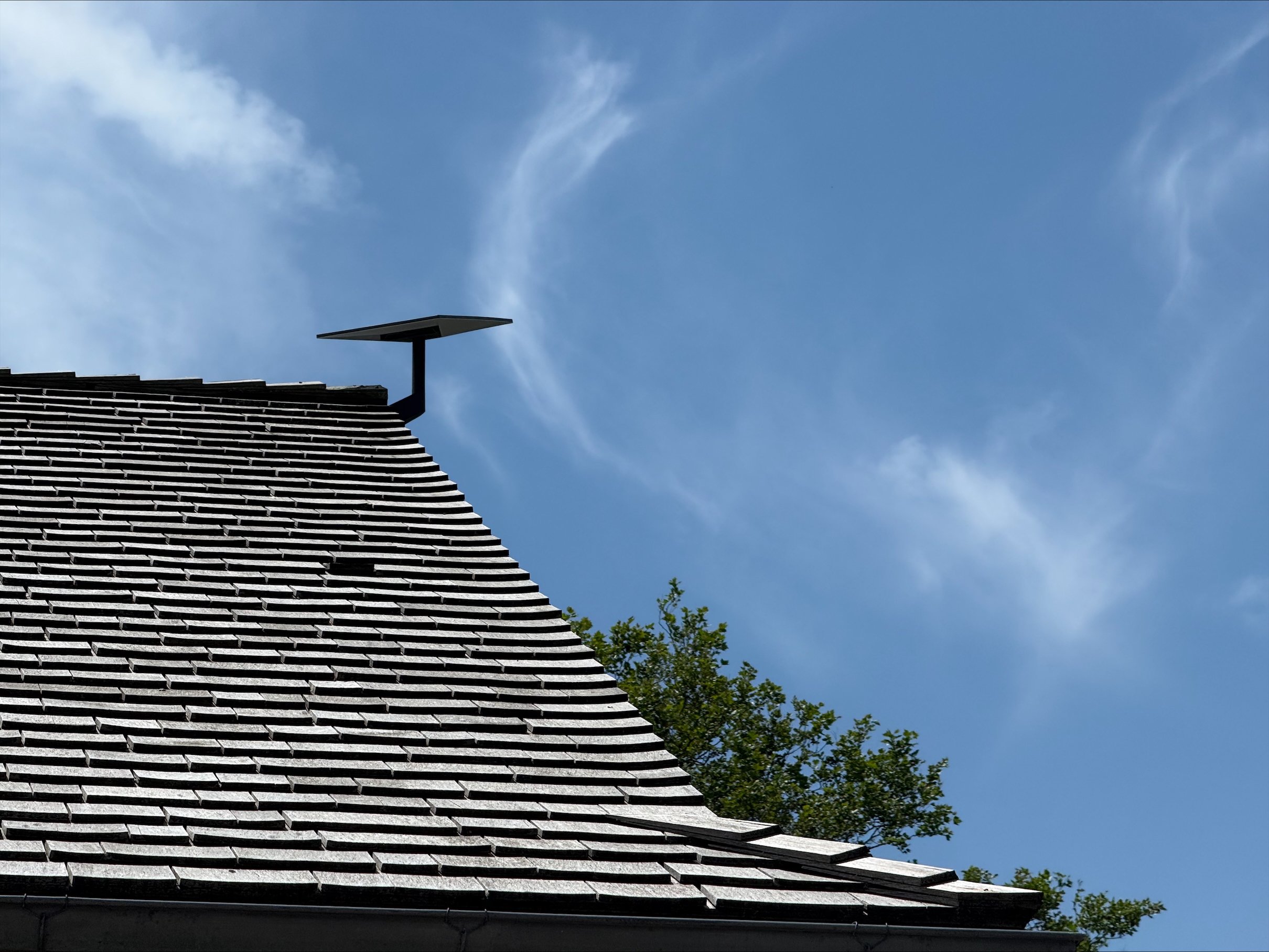
- Dish placement with a clear view of the sky and consideration for the property’s appearance
- Clean, discreet cable routing to the existing network location
- Integration with Wi-Fi, switches, routing, and backup-power equipment where appropriate
- Failover configuration, commissioning, and clear handoff to the homeowner
Starlink is designed for self-installation, but a whole-home application benefits from a site evaluation. Roof visibility, trees, mounting options, cable paths, existing equipment, and the intended role of the service all affect the final design.
For clients planning a new construction project or renovation, we can also coordinate connectivity requirements alongside lighting, shading, entertainment, and control through our smart home integration services.
Frequently asked questions
Starlink installation, performance, and integration.
What is Starlink?
Starlink is a satellite-based internet service that uses a network of low-Earth-orbit satellites to provide broadband connectivity. It can serve as a primary connection where wired service is limited or as a backup connection for a home with existing service.
Can Starlink be used as a backup to my existing internet?
Yes. With appropriate dual-WAN network equipment, the home can automatically switch to Starlink if the primary provider is unavailable. The exact behavior depends on the network design and how failover is configured.
Can Starlink replace my current internet provider?
In some locations it can serve as the primary connection. Where strong fiber or cable is available, many homeowners choose it as a secondary service for redundancy rather than a replacement.
How fast is Starlink?
Performance varies by location, service plan, network demand, weather, and the installation environment. It supports common residential activities such as streaming, video calls, remote work, cloud services, and connected-home access, but a site-specific review is the right way to determine fit.
Does Starlink require a clear view of the sky?
Yes. Trees, buildings, and other obstructions can interfere with signal quality. The dish is installed outdoors in a location with a clear view of the sky, often on a roof, exterior wall, pole, ground mount, garage, or accessory building.
Will installation require drilling or new wires?
A cable usually runs from the outdoor dish to the interior network location. Professional installation focuses on discreet routing, although the exact work depends on construction and the selected mounting location.
Can Starlink work with my existing Wi-Fi system?
Yes. Starlink can integrate with modern whole-home Wi-Fi and network systems. In an advanced installation, a dedicated router and network platform may manage performance, security, Wi-Fi coverage, and failover instead of relying only on the Starlink router.
What additional equipment might be required?
Depending on the role Starlink plays, the project may include a dual-WAN router, network switches, additional Wi-Fi access points, surge protection, or battery backup equipment. The right selection depends on the home’s existing network and priorities.
Does Starlink work in bad weather?
Starlink is designed to operate in typical rain, snow, and wind. As with any satellite service, severe conditions can occasionally affect performance or cause short interruptions.
Does Starlink work in apartments or condominiums?
It can be more challenging because of mounting restrictions, roof access, and line-of-sight limitations. A cellular backup connection or a secondary wired provider may be more practical in some buildings.
Is Starlink secure?
As with any internet service, security depends on the network equipment and configuration inside the home. A properly designed home network helps protect connected devices and supports appropriate remote access.
Is Starlink right for my home?
It may be a strong option for homeowners who want backup internet, have limited ISP choices, own a second home, or need dependable connectivity for remote work and connected-home systems. A site evaluation is the best way to determine whether it is a fit.
Plan a more resilient home network
Find out whether Starlink belongs in your connectivity plan.
HTE can assess site visibility, mounting options, cable paths, existing service, network design, and the role a secondary connection could play across your property.