
When Systems Go Down: How to Protect Your Smart Home with Backup Internet and Power
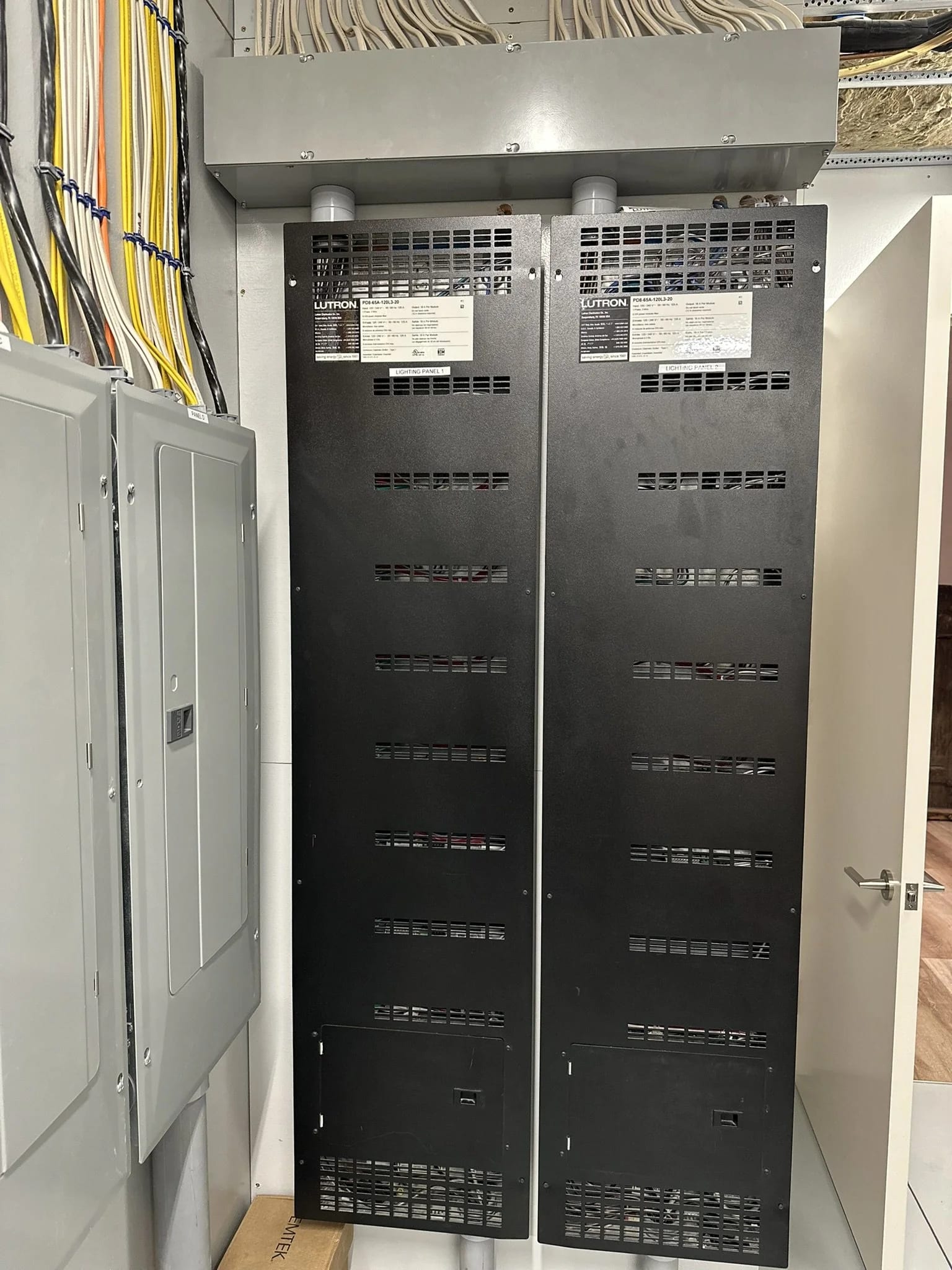
Recent outages affecting email, banks, airlines, and other services show how much everyday life depends on connected technology. A smart home resilience plan starts by understanding those dependencies and preparing for the interruptions that matter most.
Your email will not load. Your flight is delayed. Your banking app is unavailable. Then you hear that another major service has gone down.
In November 2026, a series of technology disruptions affected organizations and services people depend on every day. Microsoft 365 and Outlook users experienced problems accessing email. An FAA telecommunications outage led to a nationwide ground stop. Banking customers encountered service interruptions, and Apple reported outages affecting some of its services. The NSA also reported a disruption to an internal network during scheduled maintenance. Associated Press report
For homeowners, the question is not whether a residence operates like an airport or a bank. It is what happens when the systems supporting the home share a connection, a power source, or an outside service that becomes unavailable.
Can you still work? Can you operate the lights? Is the property still being monitored? Can someone access the home if you are away?
At Home Technology Experts, we believe those questions belong in the design and ongoing care of a connected home.
What recent outages tell us about connected systems
The recent incidents did not all have the same cause.
Microsoft 365 users had difficulty accessing Outlook and other services. Apple said an internal update caused its outage. Officials pointed to overloaded routers during maintenance as a possible cause of the FAA telecommunications disruption, although the precise cause remained under investigation. CBS News
These events follow earlier examples, including the July 2024 CrowdStrike software update that caused Windows systems to crash and disrupted airlines, including American Airlines, as well as banking services. CrowdStrike root cause analysis
Each situation is different, but the lesson is useful: a problem in one part of a system can affect services far beyond the device or software where it began.
A home can have its own version of that dependency. Lighting controls, surveillance cameras, entertainment, motorized shades, access systems, and remote monitoring may rely on some combination of the home network, electricity, internet service, and outside providers.
A reliable design considers what happens when one of those layers is interrupted.
Were the recent outages caused by a cyberattack?
There has been speculation that the recent disruptions were connected. As of November 18, 2026, officials had said they found no evidence that the incidents were part of a coordinated cyberattack or state-sponsored effort. Individual investigations and technical explanations may continue to develop. ABC News
Cybersecurity threats are nevertheless real. In a separate November 13 advisory, the FBI warned that malicious actors were using a tool called ARTEX to automate portions of cyber intrusions against organizations across multiple industries. That warning does not establish a connection to the recent service outages. FBI advisory
The distinction matters. A power failure, a software problem, an internet outage, and a cyberattack call for different responses. Good planning accounts for more than one possibility without assuming every interruption has the same cause.
What can cause a smart home system to stop working?
A connected home can be affected by several types of interruption:
- A power outage can shut down network equipment, control processors, cameras, and other devices.
- An internet outage can interrupt remote access, streaming, cloud services, and online work.
- A network equipment failure can prevent devices from communicating within the home, even if internet service is available.
- A provider outage can make an app or online service unavailable while the home’s own network is working.
- A software or configuration issue can affect an individual device or several connected systems.
- A security incident can compromise accounts, devices, or access to information.
The goal is not to claim that a home can be made immune to every problem. It is to identify the systems that matter most, reduce unnecessary dependencies, and create a practical path to recovery.
Start with a dependable home network
The home network is the foundation for many connected systems. Routers, switches, wireless access points, and wiring allow devices to communicate with one another and connect to outside services.
When the network is poorly designed or maintained, a problem may appear somewhere else. A camera that will not load may have a network connection issue. A streaming problem may be related to coverage or capacity. An unavailable control app may point to a connection, a processor, or an outside service.
HTE reviews the network in the context of the entire property, including the rooms, outdoor spaces, guest houses, and systems that depend on it.
That review can include equipment, wired connections, wireless coverage, capacity, configuration, and opportunities to make the system easier to support.
Learn more about HTE home networks and how one weak network device can affect a smart home.
Plan for an internet outage
A well-designed home network can still lose its connection to the outside world. Cable or fiber service may be interrupted by equipment failure, construction, weather, or a problem elsewhere on the provider’s network.
For households that rely on connectivity for work, property monitoring, and everyday life, a secondary internet service can provide another path.
Starlink as a backup connection
Starlink can serve as a secondary internet connection for some properties. With compatible equipment and appropriate configuration, the home’s network can switch to the backup connection when the primary service is unavailable and return when it is restored.
The backup connection still needs to be integrated with the home’s network. The Starlink equipment, router, switches, and other necessary devices also need power if they are expected to operate during an electrical outage.
Starlink addresses an internet connection failure. It cannot repair a failed router inside the home or restore an outside service that is experiencing its own outage.
Explore Starlink for home internet backup.
Have a plan when email or a cloud service is unavailable
The Microsoft 365 outage offered a useful reminder: your home may have working electricity and internet, but an outside service can still be unavailable.
For people who depend on Outlook for work, that can mean being unable to send or receive messages, access a mailbox, or reach information when it is needed. Some delayed messages may arrive after the service is restored. Associated Press
A backup internet connection generally will not solve that problem because the interruption is with the service itself.
For urgent situations, a household or small business may want to consider:
- An independent way to communicate with essential contacts.
- Access to important phone numbers and instructions outside a single email account. There are still some things worth printing and storing.
- Local copies of critical information, stored securely and kept current.
- A plan for communicating with employees, clients, caregivers, or property managers.
- A way to check the affected provider’s service status before repeatedly resending messages.
The right approach depends on the information involved and the organization’s security requirements. The point is to know the alternative before it is needed.
Protect the equipment that needs to stay on
Backup internet only helps if the equipment that supports it has power.
The same applies to the home network, surveillance equipment, control processors, and other systems a homeowner expects to remain available.
Depending on the property, a power protection plan may include:
- Surge protection for sensitive equipment.
- An uninterruptible power supply for selected devices.
- A home battery system serving designated circuits.
- Coordination with a generator or broader emergency-power system.
A small uninterruptible power supply may bridge a brief interruption or keep selected network equipment operating while a larger backup system takes over. Runtime depends on the size of the supply and the equipment connected to it.
The planning question is simple: Which functions matter most during an outage, and how long do they need to remain available?
Where home solar and battery backup fit
Solar panels can produce electricity for a home, but solar alone does not necessarily keep the home powered when the utility grid goes down. Many systems shut down during a grid outage unless they include equipment designed and configured for backup operation.
A properly designed home battery system can store electricity and supply selected circuits when utility power is unavailable. Depending on the equipment and configuration, solar may also be able to recharge the battery while the home operates independently from the grid.
For a connected home, the important detail is whether the equipment supporting essential functions is actually on the backed-up circuits. That may include:
- The primary router and network switches.
- Wireless access points serving essential areas.
- Starlink or other backup internet equipment.
- A smart home control processor.
- Surveillance cameras and recording equipment.
- Selected access or intercom equipment.
- A home office and other priority devices.
Battery capacity, weather, equipment consumption, and the other circuits drawing power all affect runtime. A system designed to support a few priority devices will provide a different experience from one designed to power a larger portion of the home.
HTE can identify the technology equipment that needs power and coordinate its requirements with the homeowner’s solar, battery, and electrical professionals.
Know what works without the internet
A phone app is convenient, but it should not be the only way to think about an essential system.
Depending on the equipment and programming, certain lighting controls, keypads, thermostats, locks, and surveillance functions may continue operating locally during an internet outage. Other functions may require an outside cloud service, a particular controller, or an active connection.
During a system review, ask:
- Can the lights be operated from wall controls if the app is unavailable?
- What happens to door or gate access if power or the network goes down?
- Will surveillance continue recording locally?
- Can cameras still be viewed remotely?
- Which functions depend on a cloud service?
- Who will be notified if an important system goes offline?
The answers depend on the equipment, programming, and backup power in place. They should be documented and tested before an interruption occurs.
Make security part of the plan
Reliable operation and cybersecurity are related, but they are not the same thing. A home can have excellent Wi-Fi coverage and still have accounts or devices that need better protection.
Depending on the home and its systems, a review may include:
- Strong, unique credentials for important accounts and equipment.
- Multifactor authentication where available.
- Appropriate separation for guest access and connected devices.
- Review of remote access and user permissions.
- Maintenance of supported equipment and software.
- Secure backups of important data and system information.
Security measures should be appropriate to the equipment and the people using it. No single setting can guarantee protection, but careful planning can reduce unnecessary exposure and make problems easier to address.
Build a path to diagnosis and recovery
When something goes offline, the first challenge is understanding what failed.
A documented network and organized equipment make it easier to trace a problem. Depending on the system and service arrangement, remote monitoring may help identify an offline device, while remote support or managed power equipment may allow certain issues to be investigated without an immediate onsite visit.
Remote tools have limits. If the property loses its internet connection, a technician may not be able to reach the equipment remotely. A useful support plan considers who should be contacted, what can be checked from a distance, and when someone needs to visit the property.
Updates and system changes also deserve attention. Equipment ages, manufacturers release new software, and new devices are added over time. Periodic review helps keep the system aligned with the way the home is used.
Why this matters for second homes
A minor interruption can become a larger inconvenience when a property sits empty between visits.
An internet outage may prevent remote access to cameras. A power interruption may take connected equipment offline. A property manager or service professional may need access when the homeowner is elsewhere.
A second-home plan should account for both the technology and the people responsible for the property:
- Which systems should remain available while the home is unoccupied?
- Who should be notified if a critical device goes offline?
- What can be checked or restored remotely?
- Who can provide access if an onsite visit is needed?
- What should be tested before the homeowner arrives?
The answers depend on the property, its equipment, and the level of support the homeowner chooses.
What a layered plan can look like
Consider a homeowner who works remotely from a second home.
If the primary internet connection goes down, the network may switch to a configured backup connection such as Starlink.
If utility power goes out, a home battery or other backup power source may keep selected network and control equipment running, provided those devices are on protected circuits.
If an email provider experiences an outage, the household uses another agreed method for urgent communication while the provider restores service.
If a network device fails, monitoring and a support plan help identify the problem and determine whether it can be resolved remotely or requires an onsite visit.
Each layer addresses a different interruption. The best plan reflects the way the household actually lives and works.
How HTE approaches smart home reliability
Home Technology Experts looks at the home as a connected environment. The network, control system, power needs, surveillance, access, and support plan all influence the experience of living with the technology.
For a new project, reliability can be addressed early, while equipment locations, wiring, electrical requirements, and system responsibilities are being planned with the design and construction team.
For an existing home, a system review can identify shared dependencies, equipment concerns, backup opportunities, and questions about how important functions behave during an interruption.
The result is a clearer understanding of what your home needs to stay connected, what can continue working locally, and what to do when a system requires attention.
Discuss your home technology system with HTE
Frequently asked questions
Will a smart home still work if the internet goes down?
Some functions may continue to operate locally, while remote access, streaming, and cloud-dependent features may be unavailable. The answer depends on the equipment, programming, home network, and available power.
Will Starlink restore Outlook during a Microsoft outage?
Generally, no. Starlink can provide an alternate internet connection when the primary service is unavailable. It cannot restore Microsoft’s service if the disruption is within Microsoft’s infrastructure.
Will solar panels keep my smart home working during a power outage?
Not necessarily. Backup operation depends on the solar equipment, battery or other backup system, and electrical configuration. The circuits serving the home’s technology must also be included in the backup plan.
Can a home battery keep Wi-Fi and smart home controls running?
It can if the relevant equipment is connected to backed-up circuits and the battery has sufficient capacity. Runtime varies according to the equipment and other electrical loads.
Can a smart home be protected from every outage or cyberattack?
No system can be guaranteed against every interruption or threat. A thoughtful plan identifies essential functions, reduces unnecessary dependencies, protects access, and establishes practical backup and recovery steps.
Can HTE review an existing system installed by another company?
Yes. HTE offers an existing smart home system review for homeowners who want a clearer understanding of their technology and potential next steps.